An all-in-one multilingual reading tool designed for language learners. Automatically format your text, read up to 3 different languages side by side, build flashcards instantly, and review without leaving the page.
💡 Tip: We highly recommend opening the app in Microsoft Edge for the best premium voices. (Chrome's built-in voices are notoriously buggy!)
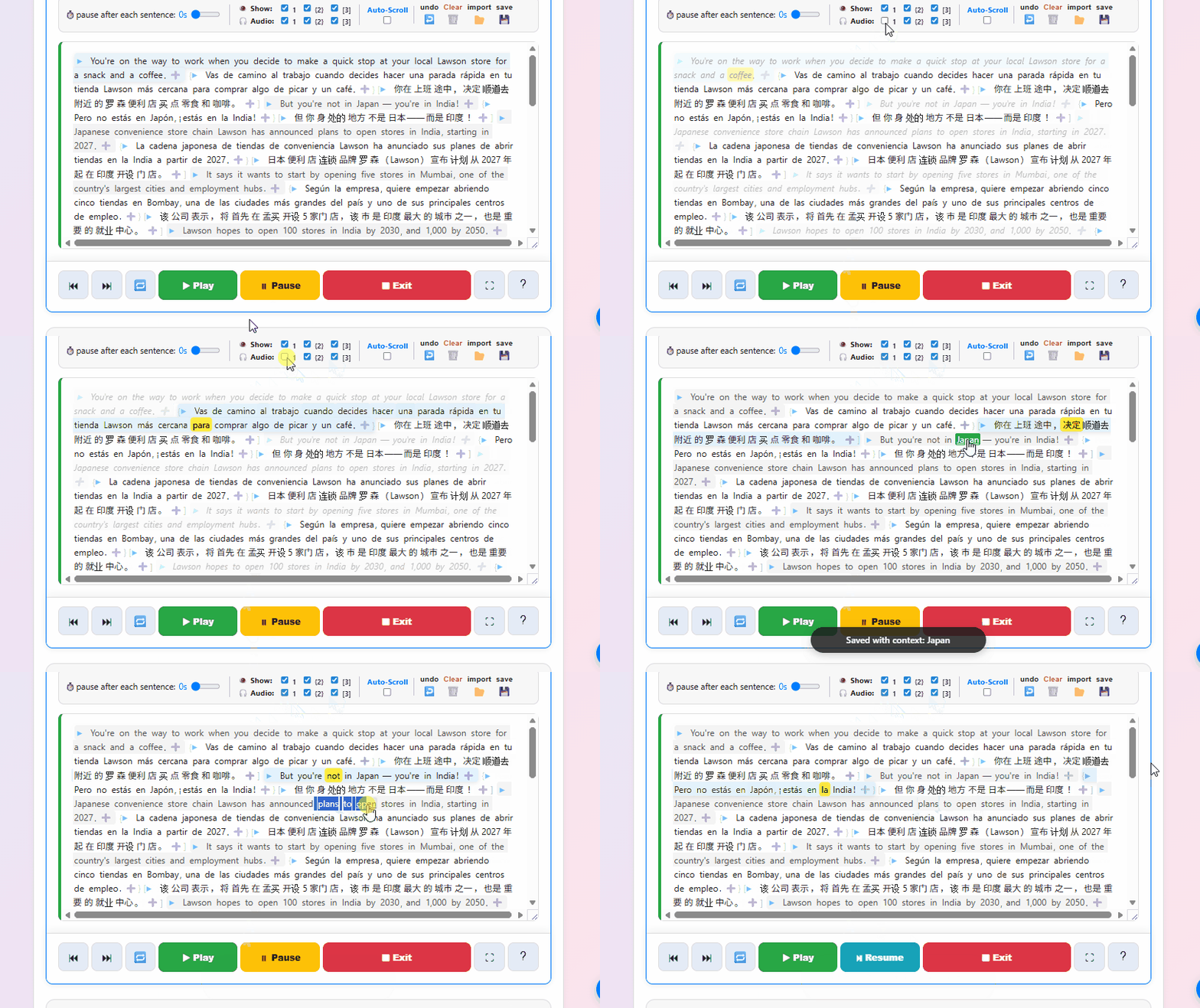
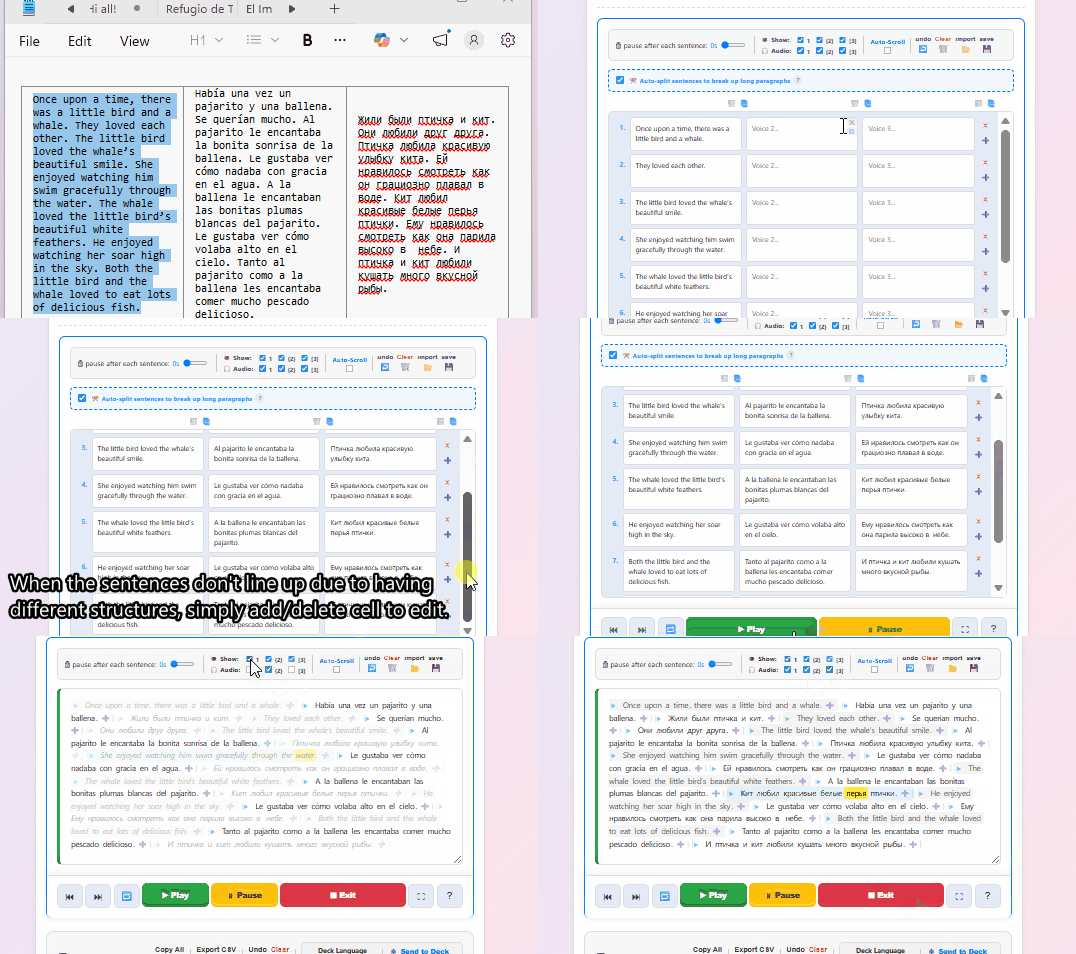
Paste your target language and your native translation into the fields. The reader automatically aligns them sentence-by-sentence. Hit play, and listen to the audio while reading along perfectly.
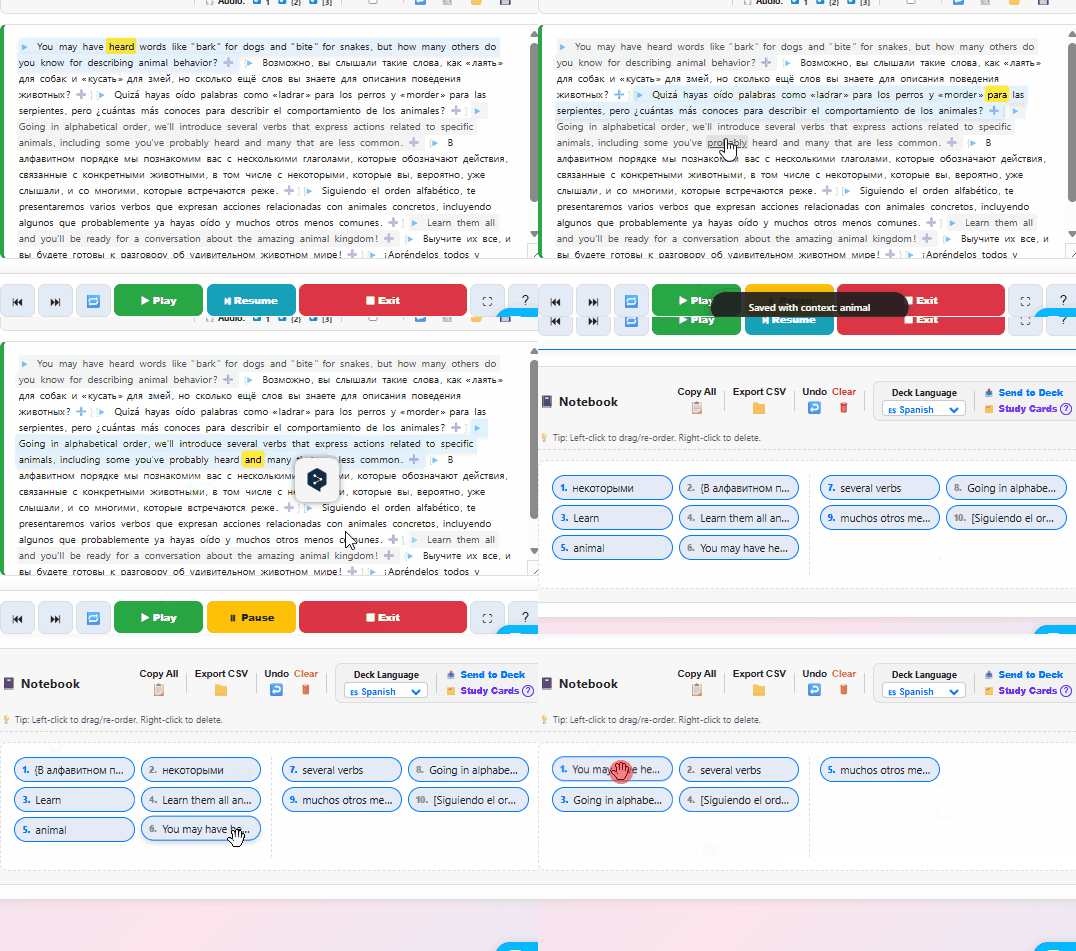
Don't break your flow. When you find a word you don't know, just click it. The app instantly saves the word AND grabs the surrounding sentence automatically for context.
Need a whole phrase? Just click and drag.
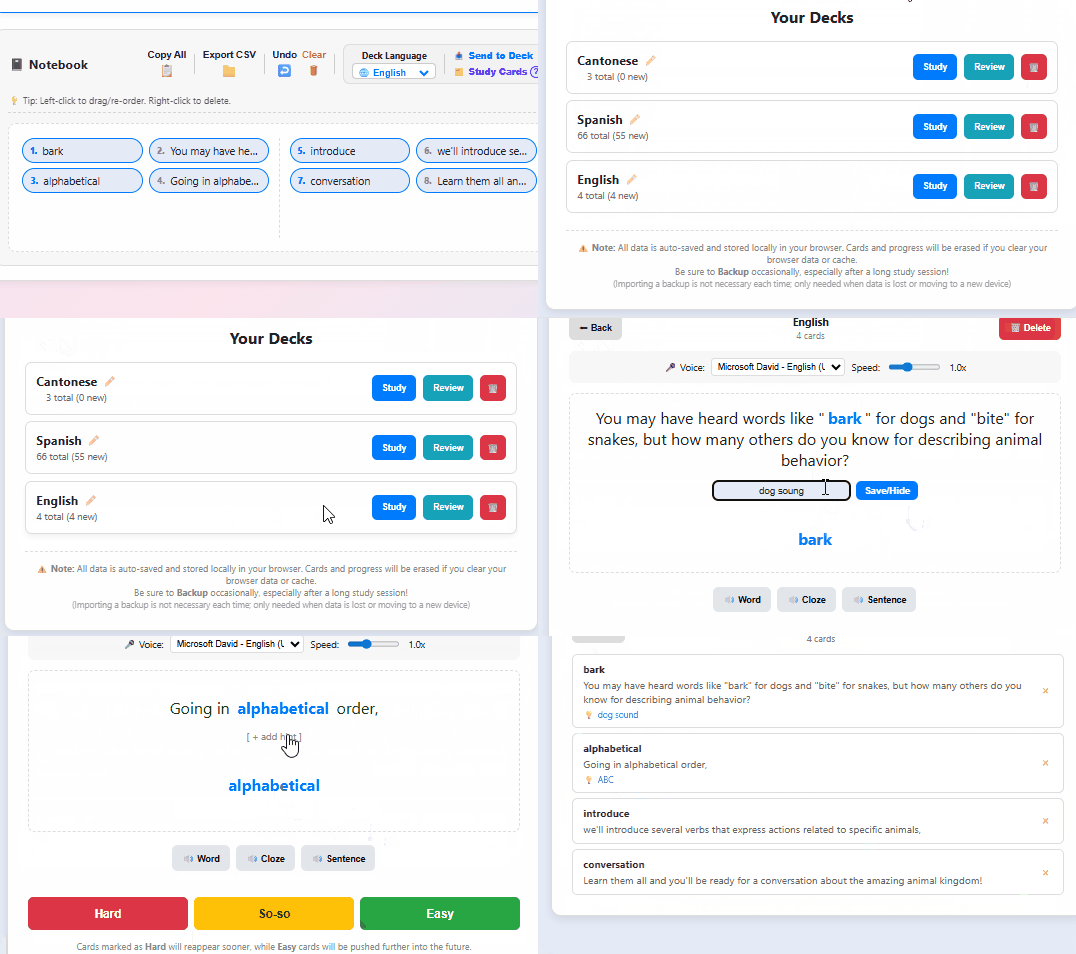
Send your notebook directly to the built-in Study Cards. Because the app grabbed your word and the context sentence, it automatically generates simple Cloze (fill-in-the-blank) flashcards for you.
It features a straightforward queue system (pushing missed cards to the back) for quick, frictionless reviews. Need something more complex? Export as a CSV with one click and drop it straight into Anki.
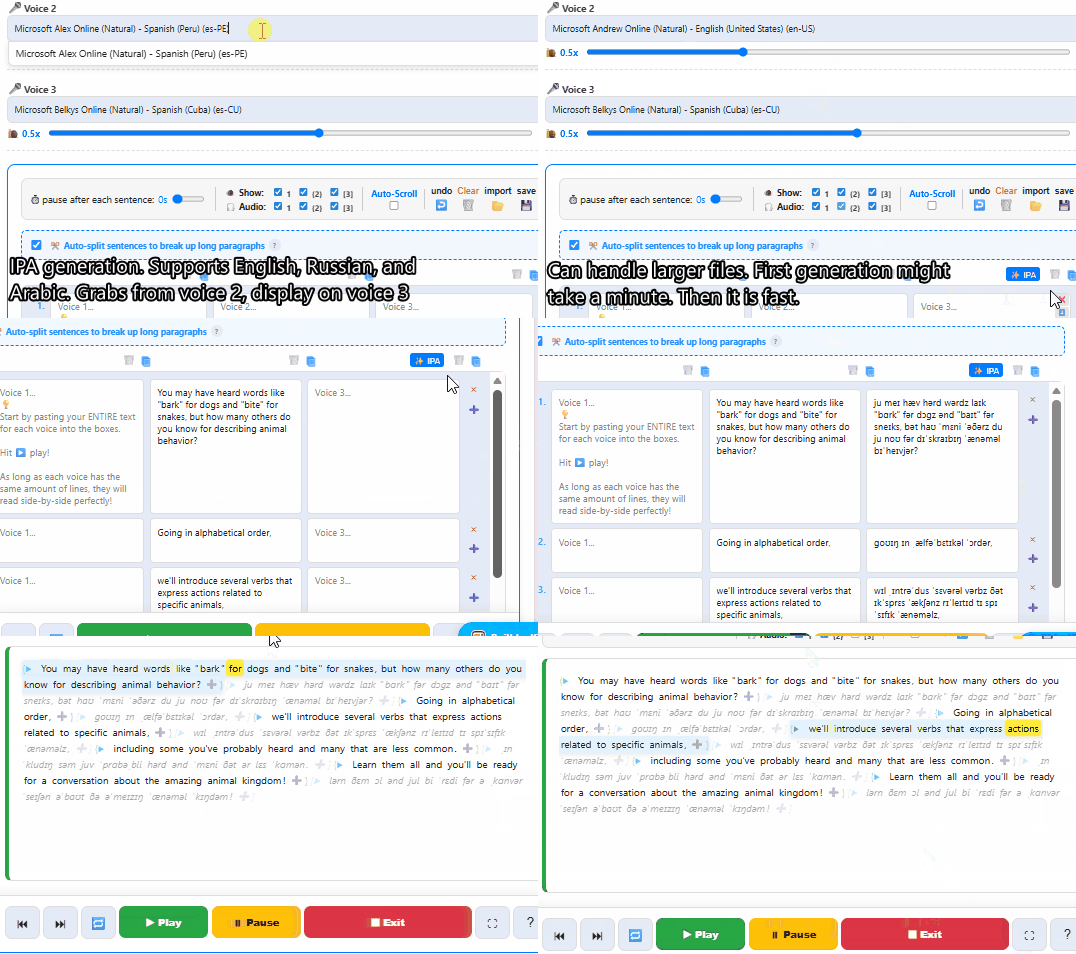
The app supports up to 3 parallel text tracks. While it's great for Native + Target languages, you can use the extra tracks for anything! Our built-in IPA generator supports English, Russian, and Arabic (it can handle large files, but might take a minute to wake up the first time).
Learning another language?
No problem! Just copy your text, run it through any free online IPA/Phonetics converter, and paste the results directly into the Reader's third column.
Now you can read your text with full IPA pronunciation support synced line-by-line!
(Note: Machine-generated IPA is a helpful guide, but not always a perfect transcription.)
A passion project with no subscriptions. Everything except the IPA converter runs completely offline in your browser for maximum speed and privacy.
Built-in support for Kuromoji (Japanese), Pinyin, and Jyutping. Words split perfectly, and Furigana appears automatically.
Many learning apps make it difficult to use external pop-up dictionaries. We deliberately designed the reader so you can easily use your favorite browser extensions.