Create bilingual or trilingual audiobooks instantly.

Paste/upload text. Sync it with audio. Click words to build flashcards. Code-Switch Reader is a powerful reading tool—perfect for language laddering and generating pronunciation annotations like Furigana, Pinyin, and IPA.

Best experience in Microsoft Edge for premium TTS voices.
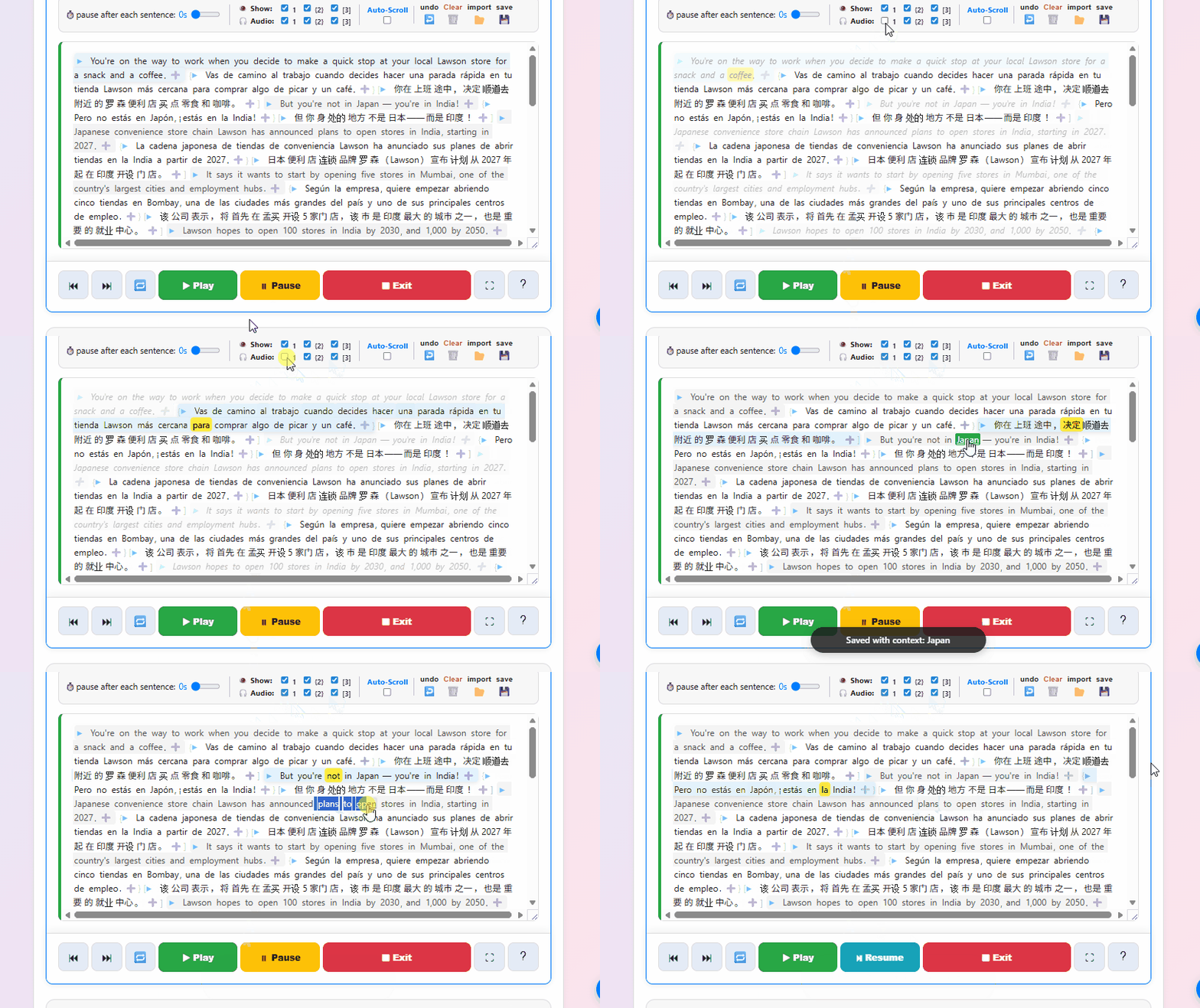
Code-Switch Reader in action — side-by-side parallel text with synchronized audio

Everything in one place,
nothing in your way.

Three features that work together to take you from raw text to retained vocabulary — without ever switching tabs.

01

Multi-Track Sync

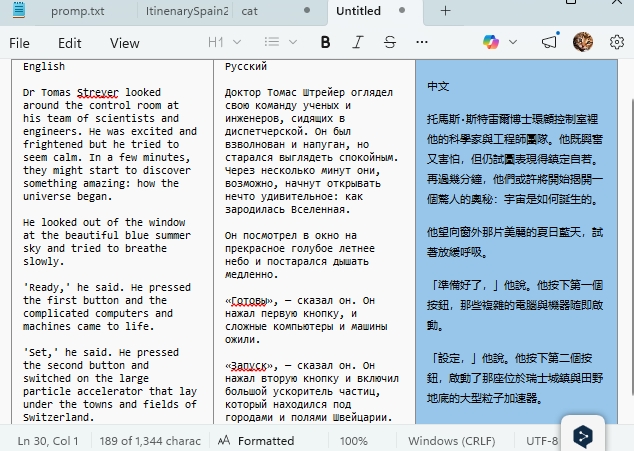
Paste your target language and a translation into the fields. The reader aligns them sentence-by-sentence — hit play and follow along with both audio and text perfectly in sync.

  • Control playback speed independently for each track
  • Hide the native text to train your listening only
  • Add shadowing pauses after each sentence to repeat aloud
  • Occasional misalignment? Fix it instantly with the built-in shift/add tools.
02

One-Click Notebook

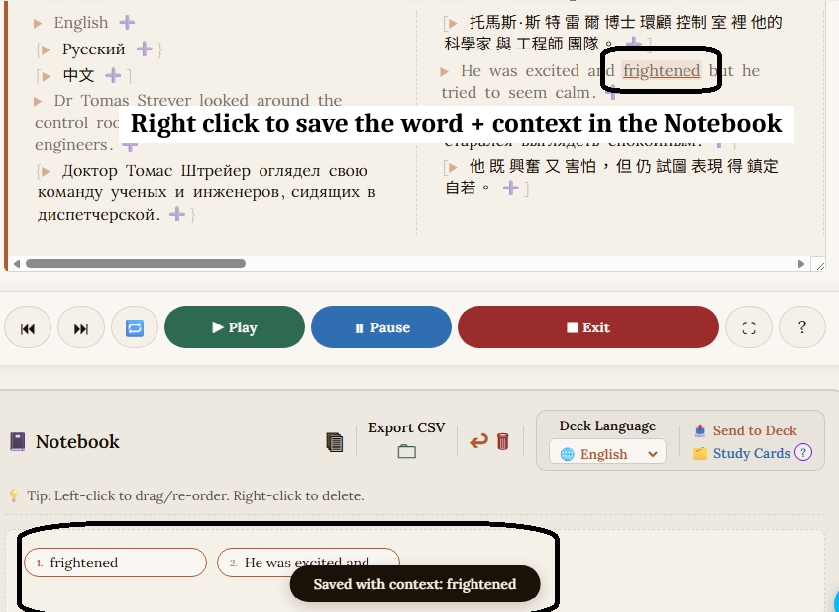
Spot a word you don't know? Just click it. The app saves the word and the surrounding sentence for full context — automatically.

Need a whole phrase? Click and drag. Your notebook builds itself as you read.

03

Instant Flashcards

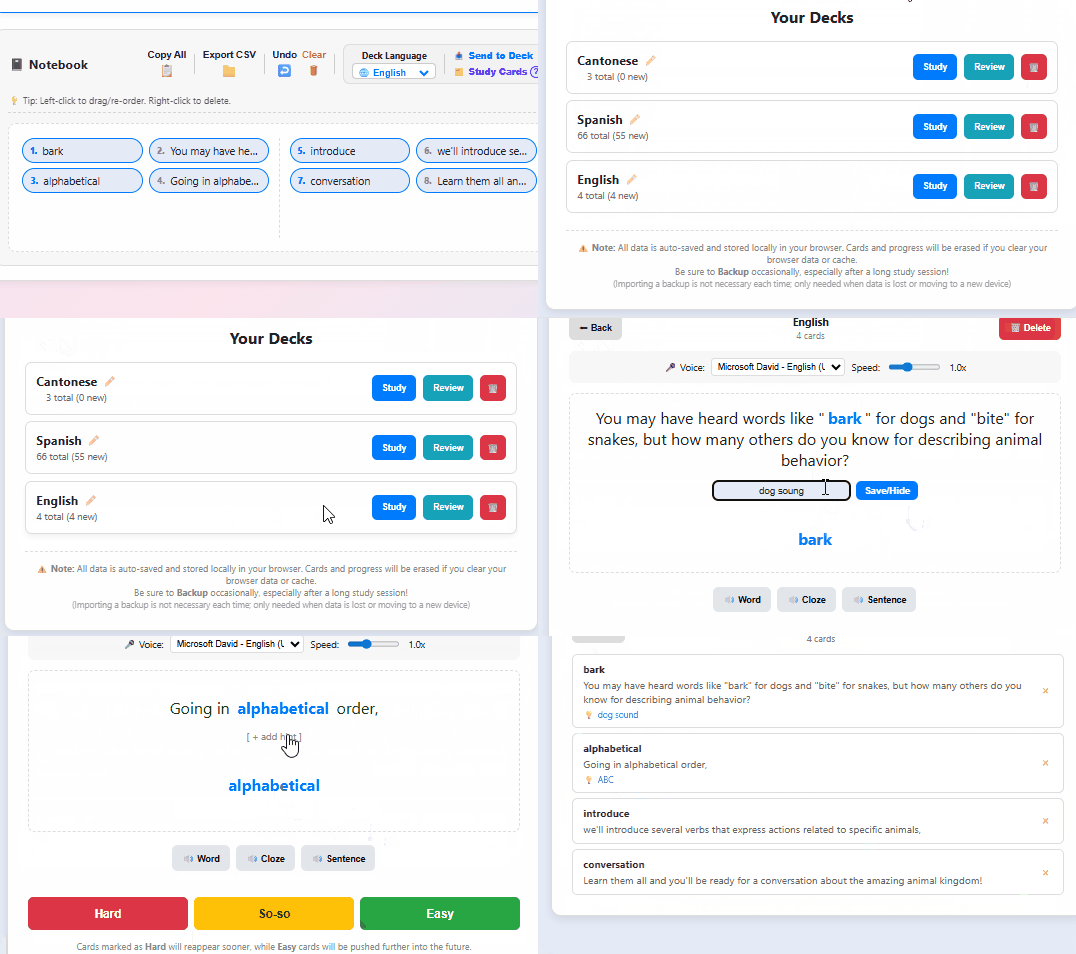
Send your notebook to the built-in Study Cards with one click. The app automatically turns each entry into a cloze (fill-in-the-blank) flashcard using your saved sentence as context.

A built-in queue keeps easy cards out of the way. Ready for more? Export as CSV and drop it straight into Anki.

Instant flashcards

More than parallel text.

💡

The Phonetic Hack

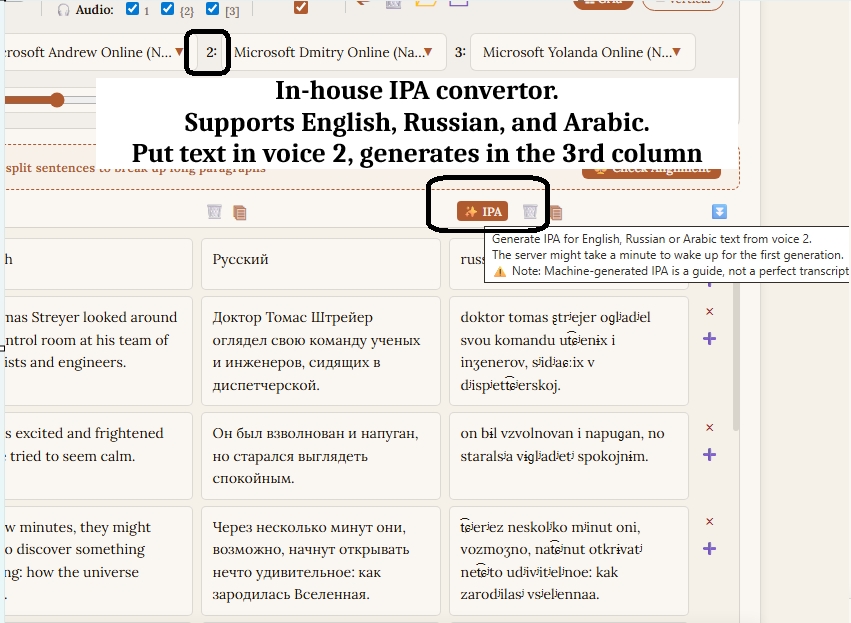
Use the third track for IPA pronunciation. The built-in generator supports English, Russian, and Arabic and runs on a cloud server for fast, reliable results — or paste phonetics from any online converter for any language.

Three tracks, any content. Native language · Target language · IPA. All in sync.

🎙️

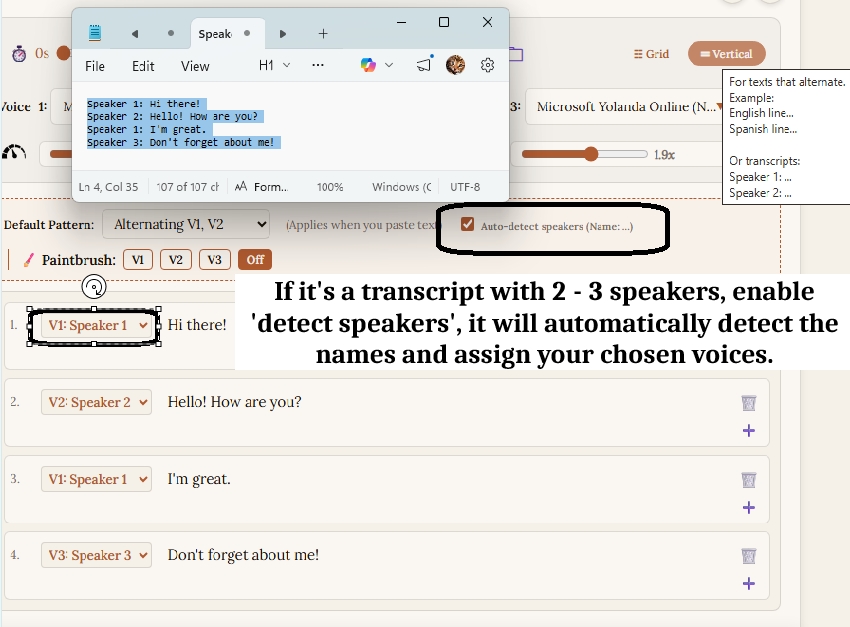
Multi-Speaker Dialogues

Assign a unique voice to each track and bring scripts, plays, or podcasts to life. The app detects speaker labels and switches voices automatically.

Works great for bilingual texts that alternate between 2–3 languages.

🔤

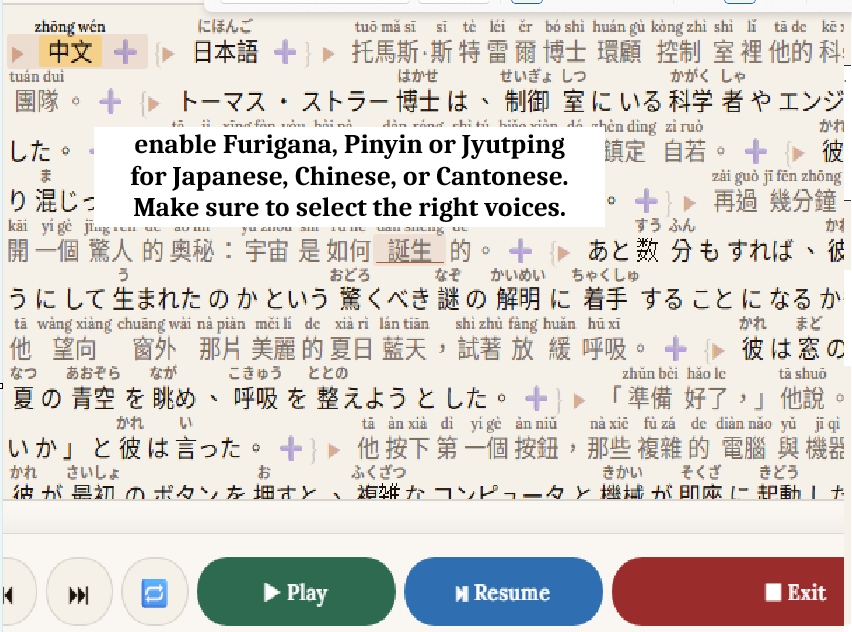
Furigana · Pinyin · Jyutping

Built-in pronunciation annotations for Japanese, Mandarin, and Cantonese. Toggle them on in Advanced Language Settings and the app handles the rest.

Powered by open-source: Kuromoji, Pinyin Pro, and ToJyutping. Pinyin Pro and ToJyutping run entirely in your browser; Kuromoji is served from a lightweight host.

Built for learners, by learners.

🔒

Offline-First & Private

Almost everything runs directly in your browser — no account, no data leaving your machine. The only exceptions are the IPA generator and CJK annotations, which use dedicated cloud servers.

🆓

Free, No Subscriptions

A passion project — no paywalls, no feature tiers. Everything is free. Support us on Ko-fi if you'd like to say thanks.

🧩

Extension Friendly

We deliberately designed the reader to work alongside your favorite browser pop-up dictionaries — not against them.

🇯🇵🇨🇳🇭🇰

CJK Annotation Built-in

Accurate word-splitting and automatic annotation for Japanese, Mandarin, and Cantonese — no extensions needed.